
Featured Items - Boxed
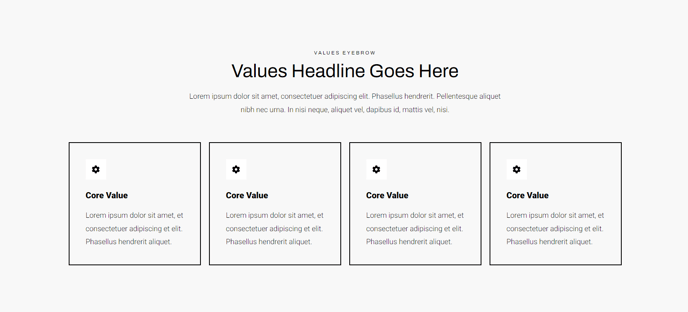
A four-columned list of items, including icons, heading, and text, each boxed in with a border.
View a live demo of this section.
Modules
How to Use This Section
The Featured Items - Boxed section creates a professional four-column grid layout that’s perfect for highlighting key services, product features, or company benefits on your HubSpot pages. Each item displays within its own bordered container, creating clear visual separation that helps visitors scan and digest information quickly.
This section works exceptionally well on homepage hero areas, service overview pages, and product landing pages where you need to present multiple related concepts without overwhelming your audience. The boxed design provides more visual weight than standard list layouts, making it ideal when you want to emphasize the importance of each featured item.
When adding this section through the HubSpot page editor, you can drag it into any flexible column on your page. The section automatically adapts to your chosen column width while maintaining proper spacing between the four boxes. On mobile devices, the layout intelligently stacks the items vertically for optimal readability.
Customization tips for content editors:
- Icons: Choose icons that maintain visual consistency across all four items. The Traverse theme includes an extensive icon library accessible through the module settings.
- Headings: Keep your headings concise and parallel in structure. Aim for 2-4 words per heading for the best visual balance.
- Text length: Maintain similar text lengths across all four items to ensure the boxes align properly. If one description is significantly longer, the layout may appear uneven.
The bordered design of this section pairs well with Traverse’s clean aesthetic and works particularly effectively when placed above or below sections with different visual treatments, such as full-width hero images or testimonial carousels.