
Featured Items - Boxed - Left Heading
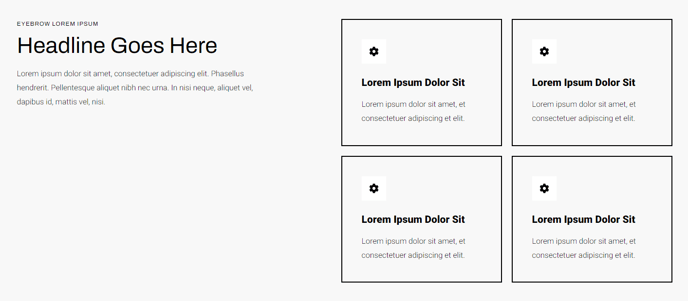
A two-columned list of items including icon, heading, and text, each boxed in with a border and including a left-side heading.
View a live demo of this section.
Modules
Usage Guide
The Featured Items - Boxed - Left Heading section creates a professional, organized layout perfect for highlighting key services, product features, or benefits on your HubSpot pages. This section stands out from other featured item layouts in the Traverse theme by combining a prominent left-aligned heading with neatly bordered content boxes arranged in a two-column grid.
You can add this section to any page through HubSpot’s drag-and-drop page editor by selecting it from the Traverse theme’s section library. The left-side heading area provides excellent context for your featured items, making it ideal for pages where you need to introduce a category of features before displaying the individual items. This works particularly well on service pages, product overview pages, and homepage sections where you want to maintain visual hierarchy.
The boxed design with borders creates clear visual separation between each item, making complex information more digestible for visitors. Each box contains space for a custom icon, heading, and descriptive text, giving you flexibility to showcase everything from technical specifications to service benefits. The consistent spacing and border styling automatically inherit your theme’s design system, ensuring brand consistency across your site.
When customizing this section, consider using icons that align with your brand style and keeping your item headings concise for better visual balance. The two-column layout works best with 2-6 featured items, though you can add more if needed. For mobile optimization, the section automatically stacks items vertically on smaller screens while maintaining the bordered box styling.
This section particularly excels on landing pages where you need to present structured information that supports a conversion goal, as the organized layout helps guide visitor attention through your key points systematically.