
Featured Items - Six
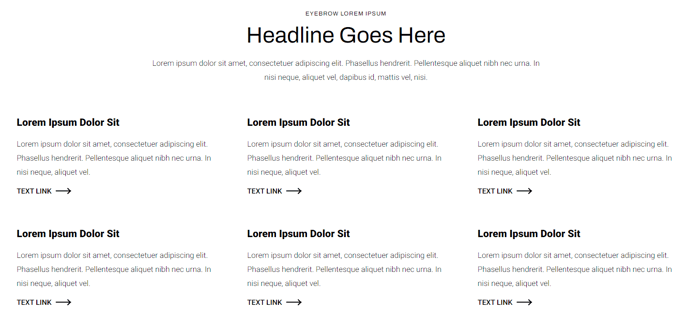
A list of six items, including a heading, text, and a call to action.
View a live demo of this section.
Modules
Usage Guide
The Featured Items - Six section provides a clean, organized way to showcase six key products, services, or features in a balanced grid layout on your HubSpot pages. This section works particularly well for e-commerce product highlights, service offerings, team member spotlights, or feature comparisons where you need equal visual weight for each item.
When you add this section through the page editor’s drag-and-drop interface, you’ll find it displays items in a responsive 3x2 grid on desktop devices, automatically stacking into a single column on mobile for optimal viewing. Each item maintains consistent spacing and alignment, giving your content a professional, organized appearance that works seamlessly with Traverse’s modern design aesthetic.
Choose this section when you have exactly six items that deserve equal prominence on your page. It’s ideal for homepage feature highlights, product category overviews, or service package comparisons. The structured layout helps visitors quickly scan and compare options without feeling overwhelmed.
To customize each item, you’ll work directly with the Feature Items module settings in the page editor. You can upload unique images, craft compelling headlines, write descriptive text, and configure individual call-to-action buttons for each of the six positions. The section automatically inherits your theme’s typography and color schemes, but you can override these through the module’s style settings if needed.
For best results, use high-quality images with consistent dimensions and keep your headlines roughly the same length to maintain visual balance. This section performs exceptionally well on service pages, product landing pages, and homepage sections where you want to guide visitors toward multiple conversion paths.