
Featured Items - Three - Left Heading
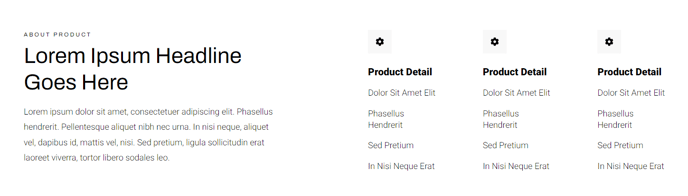
A list of three items, including icon, heading, and text, with a main heading to the left.
View a live demo of this section.
Modules
Usage Guide
This pre-built section creates an asymmetrical layout perfect for highlighting key benefits, features, or services on your HubSpot pages. The Featured Items - Three - Left Heading section positions your main headline prominently on the left side, while three feature items with icons flow vertically down the right side, creating visual balance and drawing attention to both your primary message and supporting details.
You can add this section to any page in your Traverse theme through the page editor’s drag-and-drop interface. Simply click the plus icon where you want to insert content and select this section from the available options. The layout works particularly well on homepage hero areas, about pages, and service landing pages where you need to communicate a core value proposition alongside supporting benefits.
When customizing the Feature Items module, you’ll have full control over each element through the HubSpot content editor. Upload custom icons or select from HubSpot’s icon library to visually represent each feature. The heading text supports rich formatting, allowing you to emphasize key words with bold styling or adjust typography hierarchy.
Consider using this section when you have one dominant message that needs three supporting points. The left-aligned heading draws immediate focus, making it ideal for primary value propositions, while the vertical item list maintains readability without overwhelming the layout. This design choice works better than centered layouts when you want to create visual interest and break up symmetrical page designs.
For optimal visual impact, keep your main heading concise and your feature item descriptions to 1-2 sentences each. The section’s spacing and typography automatically adapt to your theme’s global styling settings.