
Blog Post
A blog post with optional calls to action, author information, social sharing, and related resources.
Note: Read this HubSpot knowledge base article for a guide on applying a template to your blog posts.
Default Modules in Global Partials
Note**:** Updating Global content will make the changes across all blog posts.
Built-In Modules
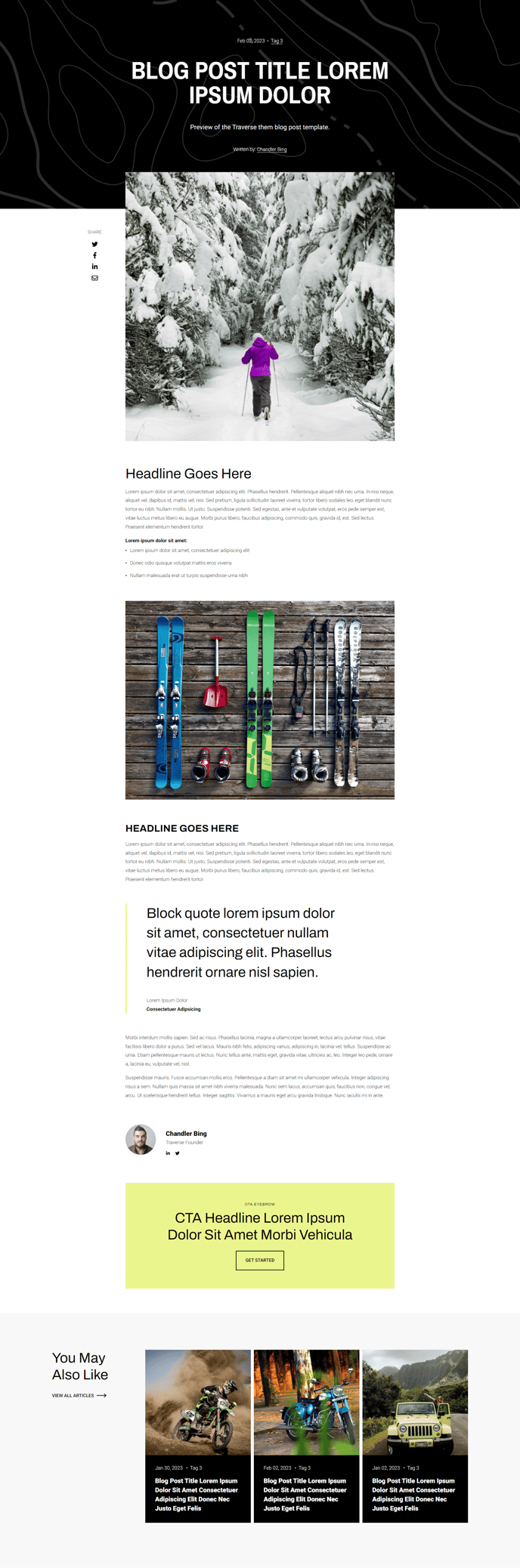
How to Use This Template
The Traverse Blog Post template is designed to maximize reader engagement and content performance through its flexible modular structure. When you select this template for your HubSpot blog, you gain access to a comprehensive set of pre-configured modules that work together to create a professional, conversion-focused article layout.
Setting Up Your Blog Posts
After applying this template to your blog settings, you can customize each individual post through the HubSpot page editor. The template’s strength lies in its global partials system – the Blog Post Hero Text and Related Resources modules automatically appear across all posts using this template, ensuring consistent branding while saving you time on repetitive formatting tasks.
Optimizing for Performance
The built-in SEO modules (Indexing and Social SEO, Schema) work behind the scenes to improve your content’s search visibility. You don’t need technical knowledge to benefit – simply fill out your meta descriptions and featured images in the content editor, and the template handles the structured data markup automatically.
Content Strategy Features
Take advantage of the Social Sharing module placement to encourage content distribution, and use the Call to Action Box strategically within your articles to guide readers toward conversion goals. The Blog Post Author module helps build trust and personal connection with your audience, particularly valuable for thought leadership content.
Customization Tips
While the global content maintains consistency, you can still personalize individual posts by adjusting the Blog Post Options module settings or adding custom drag-and-drop modules between the pre-configured elements. The transparent header option works particularly well with hero images for a modern, immersive reading experience.