
Blog Post Author
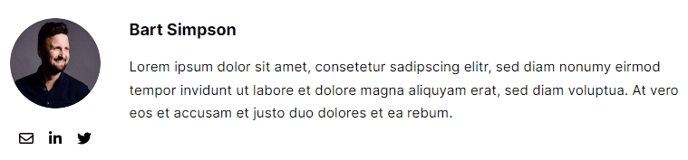
Display author information for a blog post.
Note: This module is only able to be used on Blog Post and Blog Listing templates.
Styles
- Edit padding
- Change text alignment
- Set Dark Mode
Usage Guide
The Blog Post Author module displays essential author credentials and information to build trust and authority for your blog content. When readers can see who wrote an article, it creates a personal connection and establishes expertise, which is particularly valuable for SaaS and technology companies positioning themselves as thought leaders.
You’ll find this module in the Content section of the HubSpot page editor when working on blog post or blog listing templates. Simply drag the module onto your page where you want author information to appear—typically at the top of blog posts after the headline or at the bottom as a byline.
The module automatically pulls author data from your HubSpot blog settings, including the author’s name, bio, and profile image if configured in your Settings > Website > Blog area. Make sure your blog authors have complete profiles with professional headshots and compelling bios to maximize the module’s impact.
Best practices include placing this module prominently on individual blog posts to highlight expertise, especially for technical tutorials or industry insights where author credibility matters most. On blog listing pages, the author information helps visitors quickly identify content from their preferred writers or subject matter experts.
The Dark Mode style option ensures author information remains visually consistent when used on darker page sections or if your site implements theme switching. Text alignment controls let you match the module’s positioning with your overall blog layout—center alignment works well for featured author spotlights, while left alignment integrates naturally with body text flow.
Consider pairing this module with related content sections or social sharing buttons to create comprehensive author attribution areas that encourage further engagement with your team’s expertise.