
Blog Listing
Filterable and searchable listing of blog posts.
Note: In Settings > Website > Blog > Templates, set the Number of posts per listing page to 100000000 to ensure the infinite loading works. This module is only available for use on Blog Listing templates.
Content
- Choose the number of posts to show per page
- Edit the tag list to be a dropdown, set a label, use a pick list of tags, and choose to show the tags in the post thumbnails
- Edit strings used in the listing (Load More, View All, Search Label, etc)
Styles
- Set the module to overlap a section above/below it
- Set to Dark Mode
- Change the Load More button style
- Change the posts’ load in animation, background color, border, and Dark Mode
- Change the posts’ image’s hover animation, aspect ratio, and if you want them to fill the container or be contained within
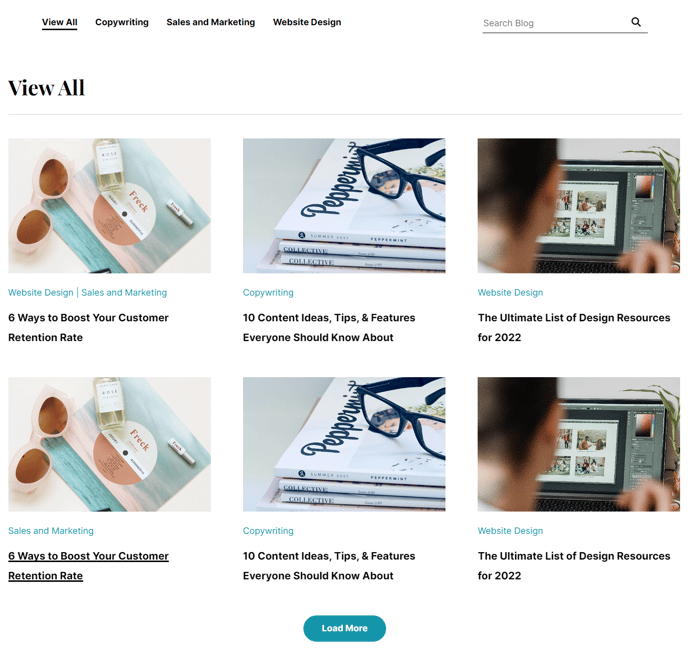
How to Use This Module
The Blog Listing module is specifically designed for your Vertical theme’s Blog Listing template pages and serves as the primary way visitors discover and filter through your content. Unlike HubSpot’s default blog functionality, this module provides enhanced filtering capabilities and modern loading animations that align with your SaaS or technology company’s brand aesthetic.
When dragging this module into your page editor, position it as the main content area of your blog listing page. The module automatically pulls from your HubSpot blog posts and creates an engaging, searchable interface that encourages content exploration.
Tag filtering is one of this module’s standout features. You can transform the standard tag list into a sleek dropdown interface, making it easier for visitors to find relevant content without overwhelming the page design. If you’re managing a large content library with multiple topics—like product updates, industry insights, and company news—consider using the pick list option to curate which tags appear in the filter, keeping your interface clean and focused.
The infinite loading functionality requires the specific settings adjustment mentioned above because it overrides HubSpot’s default pagination. This creates a seamless browsing experience where visitors can continuously scroll through your content without page breaks, particularly effective for mobile users.
For optimal performance, customize the posts per page setting based on your blog’s publishing frequency. High-volume publishers should start with 12-15 posts per page, while companies posting weekly might display 20-25 posts initially. The Dark Mode styling option ensures your blog listing integrates seamlessly with your site’s overall design, especially if you’re using Vertical’s modern dark theme variations throughout your website.
Consider the image aspect ratio settings carefully—contained images work better for blogs with varied visual content, while fill options create a more uniform grid appearance for consistently branded imagery.