
Feature Grid
A grid of featured items that can include an icon, text, and call to action.
View a live demo of this module.
Content
- Include a heading
- Change how many items to show per row
- Edit spacing between rows
- Edit spacing between columns
- Change icon placement (top, right, left, in item heading)
Styles
- Set Dark Mode
- Change heading alignment
- Edit grid border styling
- Change max height of icons
- Change icon color (only applicable to FontAwesome icons)
- Change text alignment
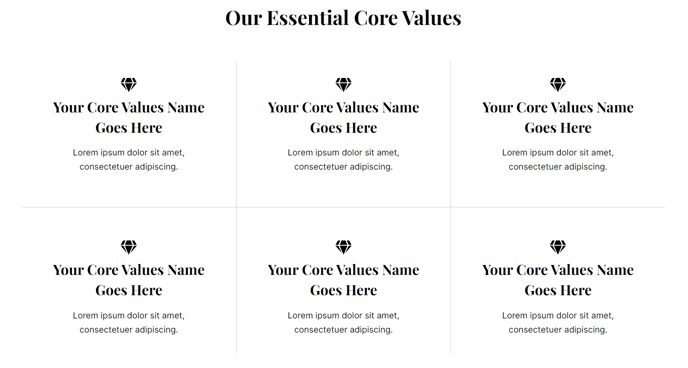
How to Use the Feature Grid Module
The Feature Grid module is perfect for showcasing product features, service offerings, or key benefits in an organized, scannable format. This module works exceptionally well on homepage hero sections, product pages, and dedicated features pages where you need to highlight multiple value propositions without overwhelming your visitors.
When adding this module through the HubSpot page editor, you’ll find it most effective when used to break down complex concepts into digestible pieces. For SaaS companies, this might mean highlighting different software capabilities with relevant icons. Technology firms often use it to showcase their competitive advantages or service categories.
Best practices for optimal results: Keep your feature descriptions concise—aim for 1-2 sentences per item. The module’s responsive design automatically adjusts the grid layout based on your “items per row” setting, ensuring your content looks great on all devices. If you’re showcasing technical features, consider using the FontAwesome icon library for consistency with the Vertical theme’s modern aesthetic.
The spacing controls give you precise control over visual hierarchy. Tighter spacing works well for related features, while increased spacing helps when each item represents a distinct concept. The icon placement options are particularly powerful—top placement creates a traditional feature list feel, while left or right placement generates a more content-heavy appearance suitable for detailed explanations.
For maximum impact, pair this module with the Vertical theme’s complementary CTA modules below your feature grid. This creates a natural flow from problem identification (your features) to solution adoption (your call-to-action), improving conversion rates on your HubSpot-powered pages.