
Feature Items
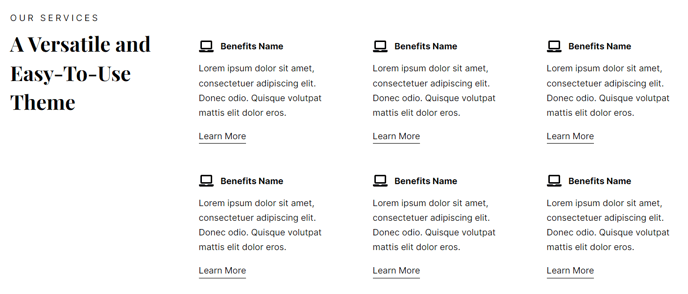
A set of featured items such as benefits or services. Each item can include an icon, text, and call to action.
View a live demo of this module.
Content
- Include a heading
- Change how many items to show per row
- Change heading placement (left, top, right)
- Change icon placement (top, right, left, in item heading)
- Use a FontAwesome icon or upload a custom image
Styles
- Set Dark Mode
- Change heading alignment
- Change item text alignment
- Change max height of icons
- Change icon color (only applicable to FontAwesome icons)
Usage Guide
The Feature Items module is designed to showcase your SaaS product’s key benefits, service offerings, or core features in an organized, scannable format. This module works particularly well on homepage hero sections, service overview pages, and product feature pages where you need to communicate multiple value propositions quickly.
When adding this module through the HubSpot page editor’s drag-and-drop interface, you’ll find it most effective when displaying 3-4 items per row for desktop viewing. This creates visual balance while ensuring your content remains readable across devices. The flexible icon placement options allow you to match your existing page layout—use top placement for traditional benefit layouts, or try left placement when you have longer descriptive text for each item.
Pro tip: For SaaS companies, consider using consistent icon styling throughout your site. If your brand guidelines include custom icons, upload them as images rather than relying solely on FontAwesome icons. This creates a more cohesive brand experience and helps differentiate your site from competitors using generic icons.
The heading placement options give you control over your page’s visual hierarchy. Left-aligned headings work well when this module appears alongside other content sections, while top placement creates a more prominent introduction to your features. When using Dark Mode through the theme settings, ensure your custom uploaded icons have sufficient contrast—the automatic color adjustments only apply to FontAwesome icons.
This module integrates seamlessly with Vertical’s other content sections, making it ideal for building comprehensive service pages or multi-section landing pages without requiring custom development work.