
Hero - 1 Column
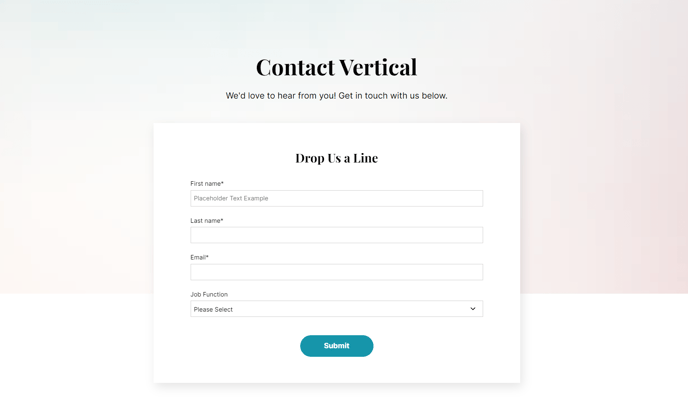
Single column hero with option to add text with an image, form, or video below it.
Note: The section this module is added to should have its Content Alignment set to Full width.
View a live demo of this module.
Styles
- Set Dark Mode
- Change max width of content
- Change background for both desktop and mobile (color, gradient, background)
- Edit module padding
- Change text alignment
- Customize list styling
- Set overlap height of media to determine how much of the item hangs over the hero
- Change load-in animation of media
- Customize form styling
- Change play button color and overlay color of video
Usage Guide
The Hero - 1 Column module serves as your website’s primary first impression, designed specifically for SaaS and technology companies who need to make a bold statement on their homepage or landing pages. This module works exceptionally well as the opening section of your homepage, product pages, or campaign landing pages where you want to capture attention immediately.
When adding this module to your page in the HubSpot page editor, you’ll find it most effective when used as the topmost element on your page. The single-column layout ensures your messaging remains focused and uncluttered, making it ideal for communicating your core value proposition without distractions.
Best practices for content editors:
Position your most compelling headline and supporting text in the hero content area, keeping your message concise and action-oriented. The module’s flexibility shines in its media options — you can showcase product screenshots, embed demo videos, or include lead capture forms directly within the hero section.
The overlap height setting is particularly powerful for creating visual depth. By adjusting this feature, you can make images or videos extend beyond the hero boundary, creating a modern, dynamic appearance that draws the eye downward to your next content section.
For optimal results, pair this module with the Vertical theme’s full-width section setting and consider your mobile background separately from desktop. The dark mode option works exceptionally well for technology companies looking to create a sophisticated, modern aesthetic that aligns with current SaaS industry design trends.
This module performs best when your content hierarchy is clear: headline, supporting text, call-to-action, then visual element.