
Image Slider
A multi-slide slider with an image and title to showcase services or products.
Note: The section this module is added to should have its Content Alignment set to Full width.
View a live demo of this module.
Content
- Include a heading
- Add as many images as you want
Styles
- Set Dark Mode
- Change heading alignment
- Customize list styling
- Change background color of slider
- Change arrow color and hover color
- Change pagination active and inactive color
- Edit box shadow on images
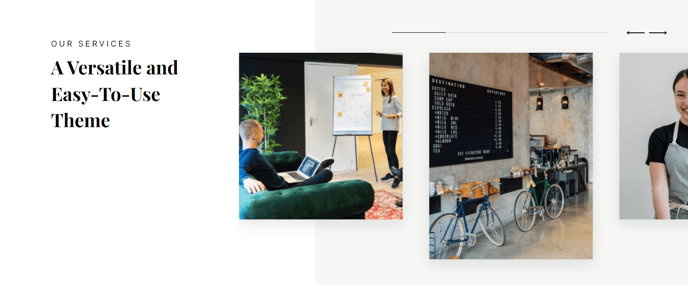
Usage Guide
The Image Slider module is perfect for showcasing multiple products, services, or portfolio items in an engaging, interactive format. This module works exceptionally well on homepage hero sections, service overview pages, and product showcase landing pages where you need to highlight several key offerings without overwhelming visitors with too much information at once.
When building your slider content, consider using high-quality images with consistent dimensions for the most professional appearance. The Vertical theme’s modern aesthetic pairs beautifully with clean product shots, software interface screenshots, or branded graphics. Keep your image titles concise and action-oriented — they should clearly communicate the value proposition of each slide.
You’ll find this module particularly effective when placed in sections with ample white space above and below, allowing the slider to become a natural focal point. The full-width requirement ensures your images display at their optimal size across all device types, taking advantage of the theme’s responsive design capabilities.
For the best user experience, limit your slider to 5-7 images maximum. While the module supports unlimited images, too many slides can reduce engagement and make navigation cumbersome for visitors. Consider the flow of your page content when positioning this module — it works exceptionally well as an introduction to detailed service descriptions or as a visual break between text-heavy sections.
The Dark Mode styling option makes this module versatile enough to complement both light and dark page designs throughout your site. When customizing the pagination and arrow colors, ensure they provide sufficient contrast against your chosen background for optimal accessibility and user interaction.