
Testimonials Slider
A full-width two-column slider of testimonials with image in one column and a quote in the other.
Note: The section this module is added to should have its Content Alignment set to Full width.
View a live demo of this module.
Content
- Add as many slides as you want
- Edit strings used in the slider (previous, next, and pagination screen reader text)
Styles
- Set Dark Mode
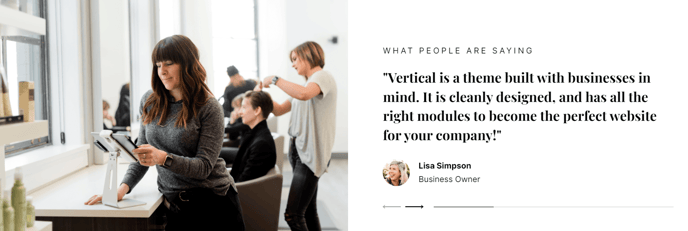
How to Use This Module
The Testimonials Slider module is designed to showcase customer feedback and build trust with your website visitors. This module works best on landing pages, service pages, and your homepage where social proof can influence conversion decisions. The two-column layout creates visual balance by pairing customer photos with their testimonials, making the content more engaging than text-only testimonial blocks.
When adding this module through the HubSpot page editor’s drag-and-drop interface, you’ll want to place it in sections where it can capture attention without overwhelming other content. Consider positioning it after your value proposition or before pricing sections to maximize its persuasive impact. The full-width design ensures testimonials display prominently across all screen sizes.
Content Strategy Tips: Rotate your strongest testimonials to the first few slides since many visitors won’t click through the entire carousel. Include testimonials that address common objections or highlight specific benefits your SaaS product provides. For technology companies, technical testimonials from developers or IT decision-makers often perform better than generic praise.
Visual Customization: The Dark Mode style option helps this module integrate seamlessly with the Vertical theme’s modern aesthetic. Dark mode works particularly well when you want testimonials to stand out against lighter page sections or when maintaining consistency with your brand’s color scheme.
Remember that the slider’s accessibility features, including screen reader text for navigation controls, ensure your testimonials reach all users. You can customize these text strings in the module settings to match your site’s tone or language preferences, making the experience more cohesive for international audiences.