
Theme Rich Text
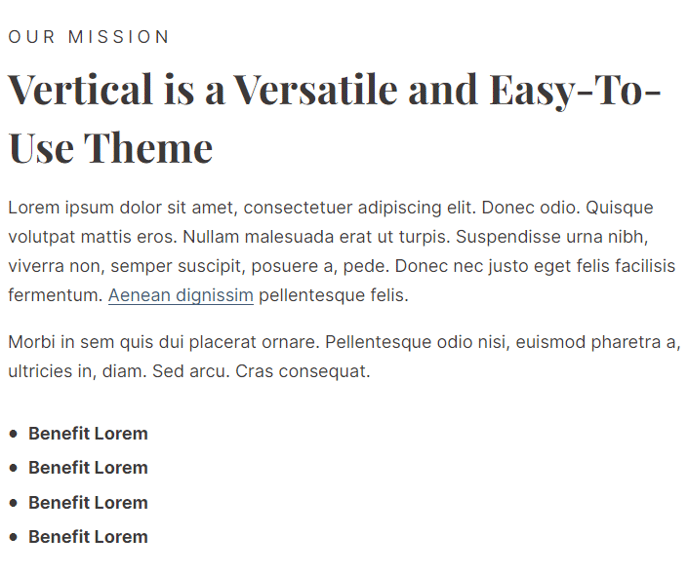
A rich text module with extra styling options not available in HubSpot's default module.
View a live demo of this module.
Content
- Include eyebrow, heading, sub-heading, text, and call to action buttons
Styles
- Set Dark Mode
- Change text alignment
- Customize list styling
Usage Guide
The Theme Rich Text module serves as an enhanced alternative to HubSpot’s standard rich text module, giving you greater creative control over your content presentation. This module is particularly valuable when you need to create content blocks that stand out from typical body text while maintaining consistency with the Vertical theme’s modern aesthetic.
You’ll find this module most effective on landing pages, service pages, and product feature sections where you want to combine multiple content elements—like eyebrows, headings, and CTAs—without needing separate modules for each component. This streamlined approach reduces clutter in your page editor while maintaining design flexibility.
When adding the module through HubSpot’s drag-and-drop editor, you can leverage the dark mode toggle to create visual contrast against light backgrounds or match darker sections of your site. The custom list styling options go beyond HubSpot’s default formatting, allowing you to create numbered lists, custom bullet styles, and properly spaced list items that align with the theme’s typography system.
Pro tip: Use the text alignment controls strategically—center alignment works well for hero sections and callout boxes, while left alignment is better for longer-form content blocks. The eyebrow text feature is particularly useful for adding context above your main heading, such as “New Feature” or “Case Study.”
For optimal results, pair this module with the Vertical theme’s spacing controls to create proper visual hierarchy between content sections. The call-to-action buttons inherit the theme’s button styles automatically, ensuring consistency across your entire site without additional styling work.