
Contact - Two Column
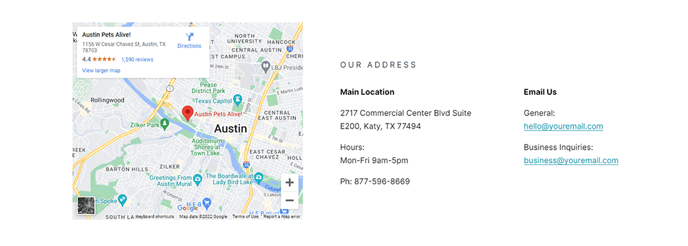
Two-column section with a map on the left and contact information on the right.
View a live demo of this section.
Modules:
How to Use This Section
The Contact - Two Column section provides a professional, balanced layout that maximizes your contact page’s effectiveness by combining visual and textual elements. The left column displays an interactive map showing your business location, while the right column houses your contact information using the Contact Info module.
This section works particularly well for SaaS and technology companies that want to establish credibility and accessibility. The map component helps visitors understand your physical presence, which is especially valuable for businesses that offer local support or have regional offices.
When adding this section through HubSpot’s page editor, you can easily drag and drop it onto any page in your Vertical theme. The two-column layout automatically adjusts for mobile devices, stacking the map above the contact information on smaller screens to maintain readability.
Customization tips for optimal results:
- Update the map location through the theme settings to reflect your actual business address
- Use the Contact Info module to include multiple contact methods (phone, email, office hours)
- Consider placing this section near the bottom of your homepage or as the primary content on a dedicated contact page
- The clean, modern styling aligns with the Vertical theme’s bold aesthetic while maintaining professional credibility
This section particularly shines on contact pages, about pages, and location-specific landing pages. Unlike single-column contact layouts, the two-column approach prevents your contact page from appearing sparse while giving equal visual weight to both your location and contact details. The integrated design ensures both elements work together rather than competing for attention.