
FAQ
Collapsible text for frequently asked questions.
View a live demo of this section.
Modules:
How to Use This Section
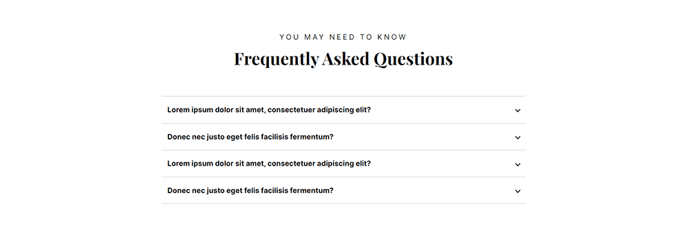
The FAQ section provides a clean, space-efficient way to present frequently asked questions on your HubSpot pages using an accordion-style layout. When visitors click on a question, the answer expands below it while keeping other answers collapsed, creating an organized browsing experience that doesn’t overwhelm users with too much text at once.
When to use this section: This section works particularly well on product pages, support pages, pricing pages, and dedicated FAQ or help center pages. For SaaS and technology companies using the Vertical theme, it’s especially effective for addressing common product questions, onboarding concerns, or technical specifications that prospects frequently ask about.
Adding and customizing: In the HubSpot page editor, drag the FAQ section from your available sections into your page layout. Each collapsible text module within the section can be individually customized with your own questions and answers. You can add as many FAQ items as needed by duplicating the collapsible text modules or removing unnecessary ones to keep your page focused.
Content strategy tips: Structure your questions in order of importance or frequency, placing the most common inquiries at the top. Write questions exactly as your customers would ask them, using natural language rather than internal jargon. Keep answers concise but complete—aim for 1-3 sentences when possible. You can also include links within answers to direct users to more detailed resources or related pages on your site.
Design considerations: The section maintains visual consistency with the Vertical theme’s modern aesthetic, automatically adapting to your theme’s color scheme and typography settings. The collapsible format works seamlessly on both desktop and mobile devices, ensuring your FAQ content remains accessible across all screen sizes.