
Leadership
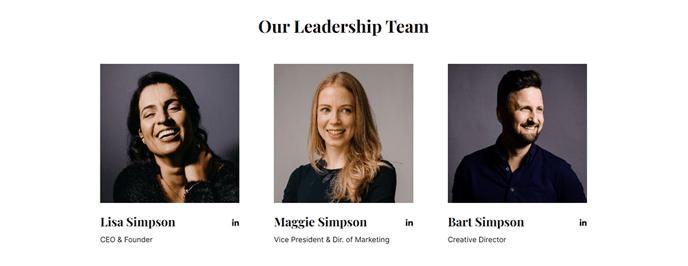
A short list of leadership members.
View a live demo of this section.
Modules:
How to Use This Section
The Leadership section provides a clean, professional way to showcase your executive team or key personnel on your HubSpot pages. This pre-built section is specifically designed to highlight leadership credibility, which is crucial for SaaS and technology companies building trust with potential customers and partners.
You can add this section to any page in your site by navigating to the page editor and selecting it from the drag-and-drop section library. The Leadership section works particularly well on About Us pages, company overview landing pages, or dedicated team pages where visitors want to learn more about the people behind your technology.
Visual Layout and Design
The section displays team members in a structured grid format that maintains visual consistency with the Vertical theme’s bold, modern aesthetic. Each leadership profile includes space for professional headshots, names, titles, and brief descriptions, creating an authoritative yet approachable presentation of your executive team.
When to Choose This Section
Select the Leadership section when you need to display a focused group of key personnel rather than your entire team. This section is ideal for highlighting C-suite executives, department heads, or advisory board members. If you need to showcase a larger team or include more detailed employee information, consider using other team-focused sections available in the Vertical theme.
Customization Tips
Once added to your page, you can customize the Team Listing module within the section through the page editor’s sidebar. You’ll be able to adjust spacing, modify the number of team members displayed per row, and align the content presentation with your brand guidelines through the theme’s global settings panel.