
Leadership - Dark
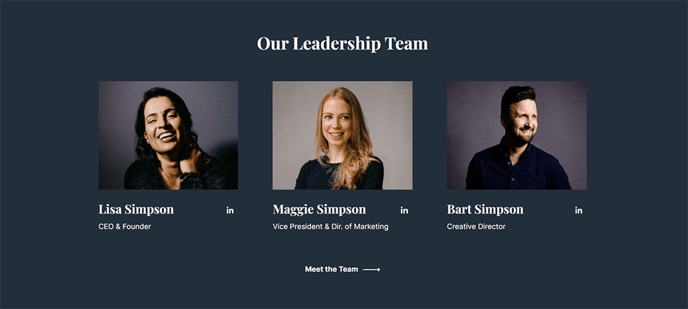
A short list of leadership members on a dark background.
View a live demo of this section.
Modules:
Usage Guide
The Leadership - Dark section is specifically designed for SaaS and technology companies that want to showcase their executive team with a sophisticated, professional appearance. The dark background creates a striking visual contrast that helps your leadership photos stand out while maintaining the bold aesthetic that defines the Vertical theme.
You can add this section to any page using HubSpot’s drag-and-drop page editor, making it particularly effective on About Us pages, company overview pages, or dedicated leadership pages. The dark styling works especially well when alternating with lighter sections to create visual rhythm throughout your page layout.
When editing this section in the HubSpot page editor, you’ll have access to the Team Listing module’s full customization options. You can easily upload leadership headshots, add names and titles, and include brief biographical information for each team member. The module automatically handles responsive sizing, ensuring your leadership team looks professional on both desktop and mobile devices.
Pro tip: For the best visual impact, use high-quality headshots with consistent lighting and backgrounds. The dark section background works particularly well with professional photos that have been shot against neutral or white backgrounds, as this creates clean contrast.
This section integrates seamlessly with the Vertical theme’s typography and spacing settings configured in your theme options. If you need to adjust the overall appearance, you can modify these settings globally rather than section by section.
Consider using the Leadership - Dark section toward the middle or end of longer pages where the darker styling can provide a natural visual break while highlighting the human element of your technology company.