
Testimonials Static
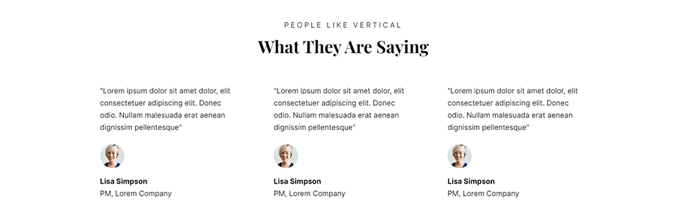
A set of three static testimonials with a heading.
View a live demo of this section.
Modules:
Usage Guide
The Testimonials Static section provides a clean, professional way to showcase customer feedback on your SaaS or technology website. This section displays three testimonials in a structured grid layout, making it ideal for building trust and credibility with potential customers visiting your product pages, pricing pages, or homepage.
When you add this section through the HubSpot page editor’s drag-and-drop interface, you’ll get a pre-configured layout that maintains the Vertical theme’s modern aesthetic. The section works particularly well on landing pages where you need to overcome customer objections, about pages where you’re establishing company credibility, and service pages where social proof can drive conversions.
Unlike dynamic testimonial sections that pull from HubSpot databases, this static version gives you complete control over which three testimonials appear and their exact positioning. This makes it perfect when you want to feature your most compelling customer quotes without worrying about rotation or filtering logic.
Customization tips for content editors:
- Choose testimonials that address different pain points your product solves
- Include the customer’s company name and title for added credibility
- Keep testimonial text concise—aim for 2-3 sentences maximum per testimonial
- Consider the page context when selecting quotes (feature-specific testimonials for product pages, general satisfaction for homepage)
The section heading can be customized through the module settings to match your page’s messaging strategy. Popular heading variations include “What Our Customers Say,” “Trusted by Industry Leaders,” or “Success Stories.” Position this section strategically after you’ve presented your value proposition but before your call-to-action to maximize its persuasive impact.