
Two Column - Text Only
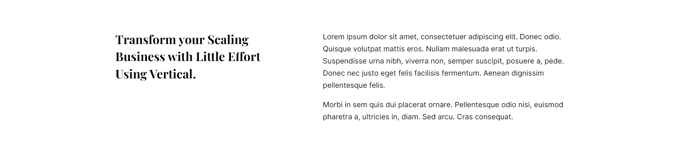
Simple two columns of text.
View a live demo of this section.
Modules:
Overview
The Two Column - Text Only section provides a clean, balanced layout for presenting content side-by-side without visual distractions. This section is particularly effective when you need to compare two concepts, present complementary information, or simply break up long-form content into more digestible chunks.
Unlike sections that combine text with images or other media, this text-focused design ensures your written content takes center stage. The equal-width columns create visual harmony while improving readability, especially on desktop devices where wide text blocks can become difficult to scan.
When to Use This Section
Choose the Two Column - Text Only section when you want to present information that benefits from comparison or parallel structure. This works exceptionally well for before/after scenarios, feature comparisons, or problem/solution layouts that are common in SaaS marketing pages. You might also use it to break up lengthy service descriptions or to present multiple perspectives on a single topic.
This section integrates seamlessly with the Vertical theme’s content-rich design philosophy, making it ideal for technology companies that need to communicate complex concepts clearly. The responsive design ensures your dual-column content automatically stacks on mobile devices for optimal readability.
Customization Tips
When adding this section through the HubSpot page editor, you’ll have access to the full Theme Rich Text module capabilities in both columns. This means you can incorporate custom styling, bullet points, and links while maintaining the section’s clean aesthetic. Consider keeping your content lengths relatively balanced between columns to maintain visual equilibrium, and use consistent formatting to create a professional, cohesive appearance that aligns with your brand guidelines.