
Blog Listing
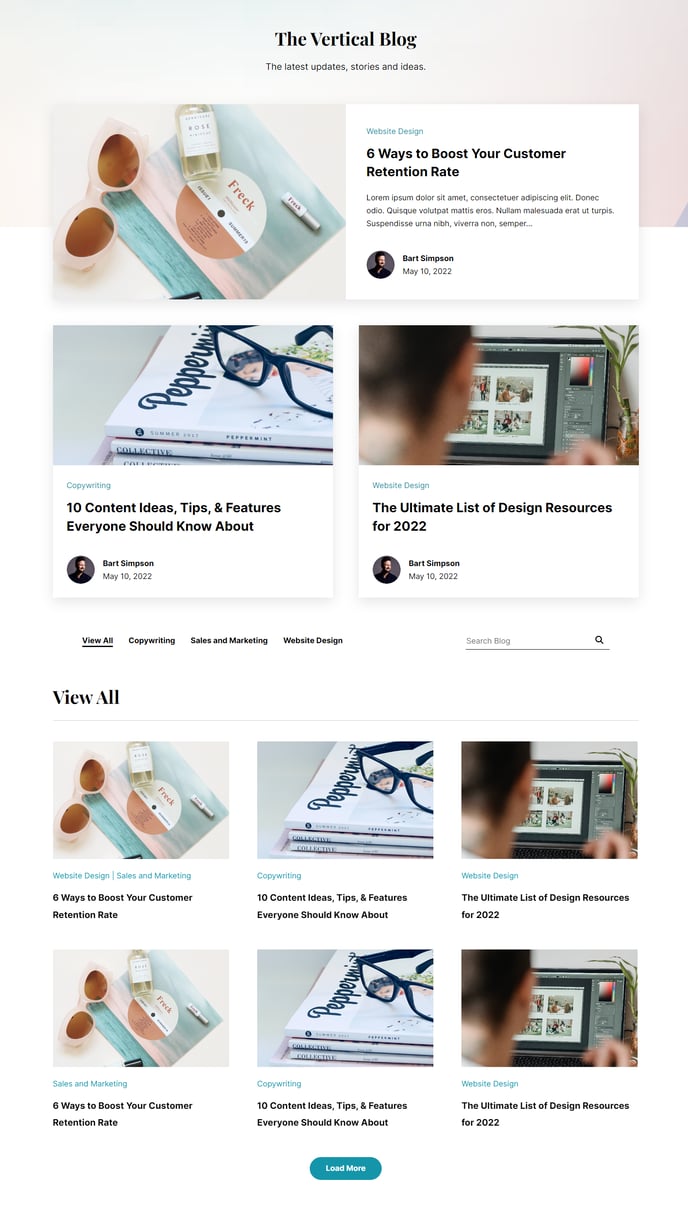
A filterable, searchable, infinite load blog listing topped by a set of featured posts.
Note: Read this HubSpot knowledge base article for a guide on applying a template to your blog listing and edit the listing page.
Default Modules:
How to Use This Template
The Blog Listing template transforms your standard HubSpot blog into a dynamic, engaging content hub that reflects the Vertical theme’s modern aesthetic. This template is specifically designed for SaaS and technology companies that publish regular thought leadership content and want to showcase their expertise with a professional, searchable blog interface.
When you apply this template to your blog listing page in the HubSpot page editor, you’ll get an infinite scroll experience that keeps visitors engaged longer than traditional pagination. The featured posts section at the top allows you to highlight your most important content—perfect for promoting case studies, product announcements, or cornerstone articles that drive conversions.
Setting up your blog listing is straightforward through HubSpot’s drag-and-drop editor. You can customize the featured posts section to display 2-4 highlighted articles using the Blog Featured Posts module, then configure the main Blog Listing module below to show your complete post archive. The built-in filtering and search functionality helps visitors find relevant content quickly, improving user experience and time on site.
The Transparent Header module creates visual continuity with your main site pages, while the Theme Rich Text module gives you flexibility to add custom introductory content above your blog posts—ideal for explaining your content strategy or adding calls-to-action.
For optimal results, configure your HubSpot blog settings to use consistent featured images and meta descriptions. The template’s responsive design ensures your blog looks professional across all devices, maintaining the clean, technology-focused aesthetic that makes the Vertical theme effective for B2B content marketing.