
Contact
Simple page with location, contact information, and testimonials.
Default Modules:
Usage Guide
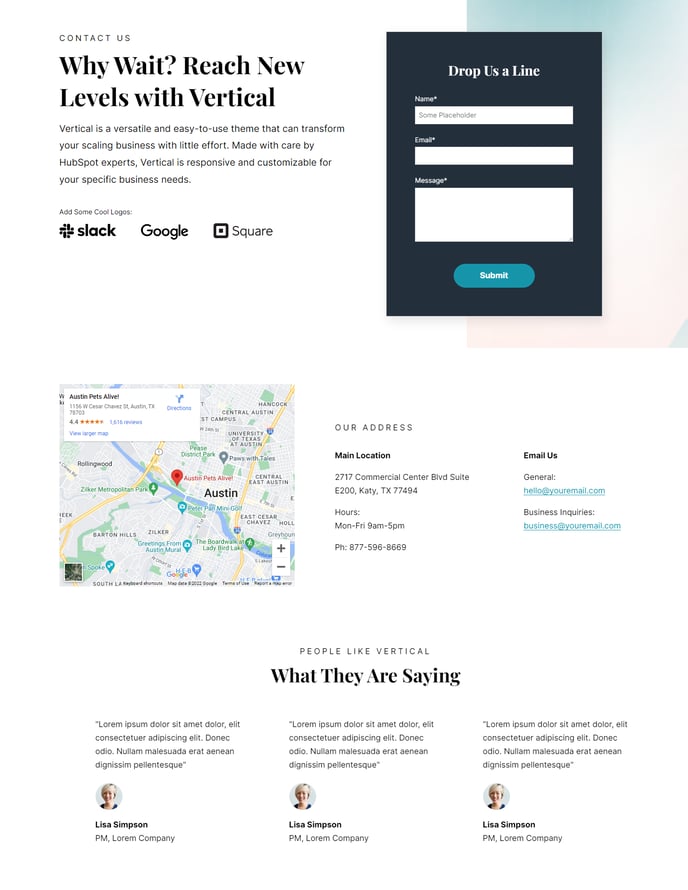
The Contact template in the Vertical theme is specifically designed to create a comprehensive contact experience that goes beyond a simple contact form. This template excels at building trust with potential customers by combining multiple touchpoints into a single, cohesive page layout.
When you create a new page using this template in the HubSpot page editor, you’ll notice the strategic flow from the hero section down to testimonials. The Hero - 2 Columns module allows you to pair compelling messaging with a contact form or key contact details, making it easy for visitors to take action immediately upon landing on your page.
The Contact Info module is particularly powerful for SaaS and technology companies that need to display multiple office locations, support channels, or different contact methods for sales versus support. You can customize this module through the page editor to include maps, phone numbers, email addresses, and social media links that align with your brand.
One of the standout features of this template is the inclusion of Testimonials Static at the bottom of the page. This placement is intentional—visitors who scroll down to view all your contact information are likely highly engaged prospects. Showing social proof at this moment can be the final push they need to reach out.
Pro tip: Use the drag-and-drop functionality in the page editor to reorder these modules based on your specific needs. For example, if you’re running paid advertising campaigns, you might want to move testimonials higher up to build credibility earlier in the visitor’s journey.
The transparent header works seamlessly with hero imagery, creating a modern, professional appearance that reinforces the technology-focused aesthetic of the Vertical theme.