
Landing
Provide specific information or feature content to download.
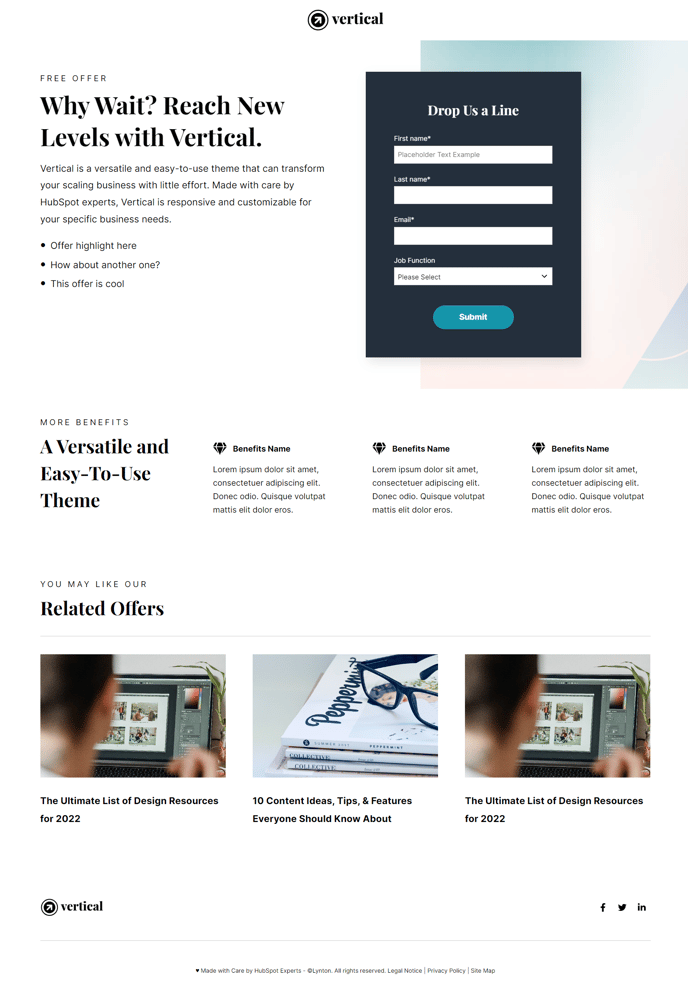
Default Modules:
- Back to Top
- HubSpot Logo
- Hero - 2 Columns
- Feature Items
- Related Posts
How to Use This Template
The Landing template is specifically designed to convert visitors into leads by presenting focused, persuasive content around a single offer or download. Unlike standard website pages, this template eliminates navigation distractions and guides users toward one primary action.
When you create a new page using the Landing template in your HubSpot page editor, you’ll immediately notice the streamlined layout that prioritizes conversion elements. The Hero - 2 Columns module allows you to balance compelling copy with eye-catching visuals or forms, while the Feature Items section helps you showcase key benefits or social proof points that support your offer.
This template works exceptionally well for gated content campaigns, product demos, webinar registrations, and ebook downloads. The included HubSpot Logo module maintains brand consistency while keeping the focus on your conversion goal rather than site navigation.
To maximize effectiveness, customize the Hero section’s call-to-action button through the theme settings to match your brand colors. You can drag and drop additional modules from the Vertical theme library if needed, but consider each addition carefully—landing pages perform best when they maintain singular focus.
The Related Posts module at the bottom serves as a soft exit strategy, offering relevant content to visitors who aren’t ready to convert immediately. This helps reduce bounce rates while keeping prospects engaged with your brand.
For A/B testing purposes, you can easily duplicate this template and modify individual modules to test different headlines, images, or social proof elements. The responsive design ensures your landing page will perform consistently across all devices, which is crucial since mobile traffic often represents 50% or more of landing page visits.