
Services/Products
Provide information about your services and how they'll benefit users.
Default Modules:
- Back to Top
- Transparent Header
- Hero - Text Only
- Staggered Images
- Feature Items
- Text and Image Columns
- Image Slider
- Testimonials Static
- Logos
- Related Posts
- Call to Action Box
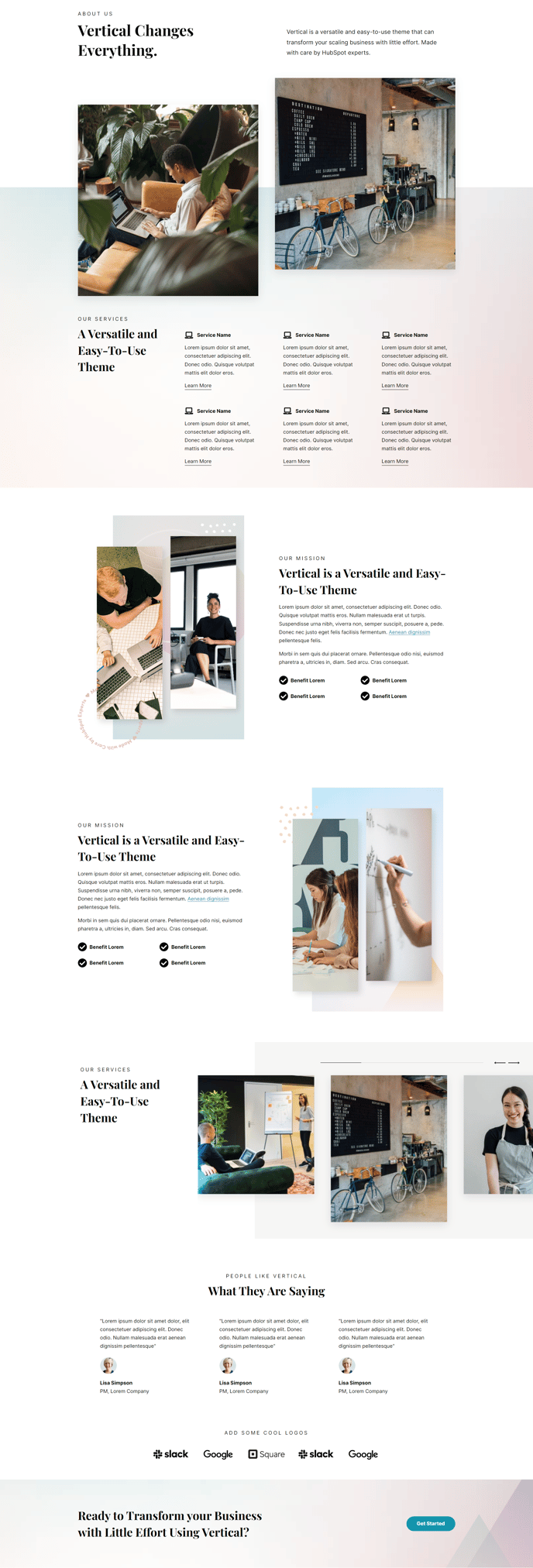
How to Use This Template
The Services/Products template is specifically designed to showcase your SaaS offerings or technology solutions in a professional, conversion-focused layout. This template works best when you need to present multiple services with detailed explanations, benefits, and supporting visual elements.
When you create a new page using this template in the HubSpot page editor, you’ll immediately see how the Hero - Text Only module provides a clean, distraction-free introduction to your services without competing visual elements. This approach keeps visitors focused on your value proposition from the moment they land on the page.
The Staggered Images and Text and Image Columns modules work together to create visual interest while breaking up text-heavy content. You can easily swap images through the page editor’s drag-and-drop interface, and the staggered layout automatically maintains the theme’s modern aesthetic across different screen sizes.
Use the Feature Items module to highlight key service benefits or product features with icons and concise descriptions. This module is particularly effective for SaaS companies that need to communicate complex technical benefits in digestible chunks.
The Testimonials Static and Logos modules build credibility by showcasing customer success stories and trusted brands. Position these strategically after your service descriptions to reinforce your claims with social proof.
Pro tip: Customize the spacing and colors of each module through the theme settings to match your brand guidelines. The Call to Action Box at the bottom works best when you limit it to one primary action—whether that’s scheduling a demo, starting a free trial, or requesting a quote. You can modify the CTA text and styling directly in the page editor without touching any code.