Case study Film licensing
Captive Entertainment's film catalog now works like a seatback screen
We moved Captive's film catalog off WordPress and rebuilt it to work like inflight entertainment. Approved on a Friday, it was live that Wednesday, and on phones it shows its main content in a third of the time.
San Diego, California · Live since October 2026 · captive-entertainment.com
The short version
Captive Entertainment licenses films and television to airlines, cruise lines, hotels and other buyers whose audiences watch on a screen in front of them. Those buyers need to know which languages each film comes in, and the old website sent them to a spreadsheet to find out.
The catalog had outgrown its website. Films were listed by month, and their languages were in a separate spreadsheet. We rebuilt the catalog so buyers browse it the way their passengers will.
It came together fast. We built the final design the evening Captive approved it, and the site went live the following Wednesday.
Captive runs it themselves. The language data still comes from the spreadsheet their team already keeps, and they can ask an AI site agent for changes in plain language.
Live · October 2026
captive-entertainment.com
San Diego, California · Airline and non-theatrical licensing
A catalog built like the seatback screen Captive's films play on. Every title has its own page listing its audio and subtitle tracks, and Captive's team updates the site through a simple editor or by asking an AI site agent.
- 548
- films moved
- 1,194
- title pages
- 23
- languages to filter by
- 3,555
- old addresses forwarded
The real problem
An airline choosing films needs to know which ones come with Arabic subtitles or a Japanese dub. The old site couldn’t answer that on its own. The films were listed like blog posts, and their languages were in a spreadsheet linked from the menu.
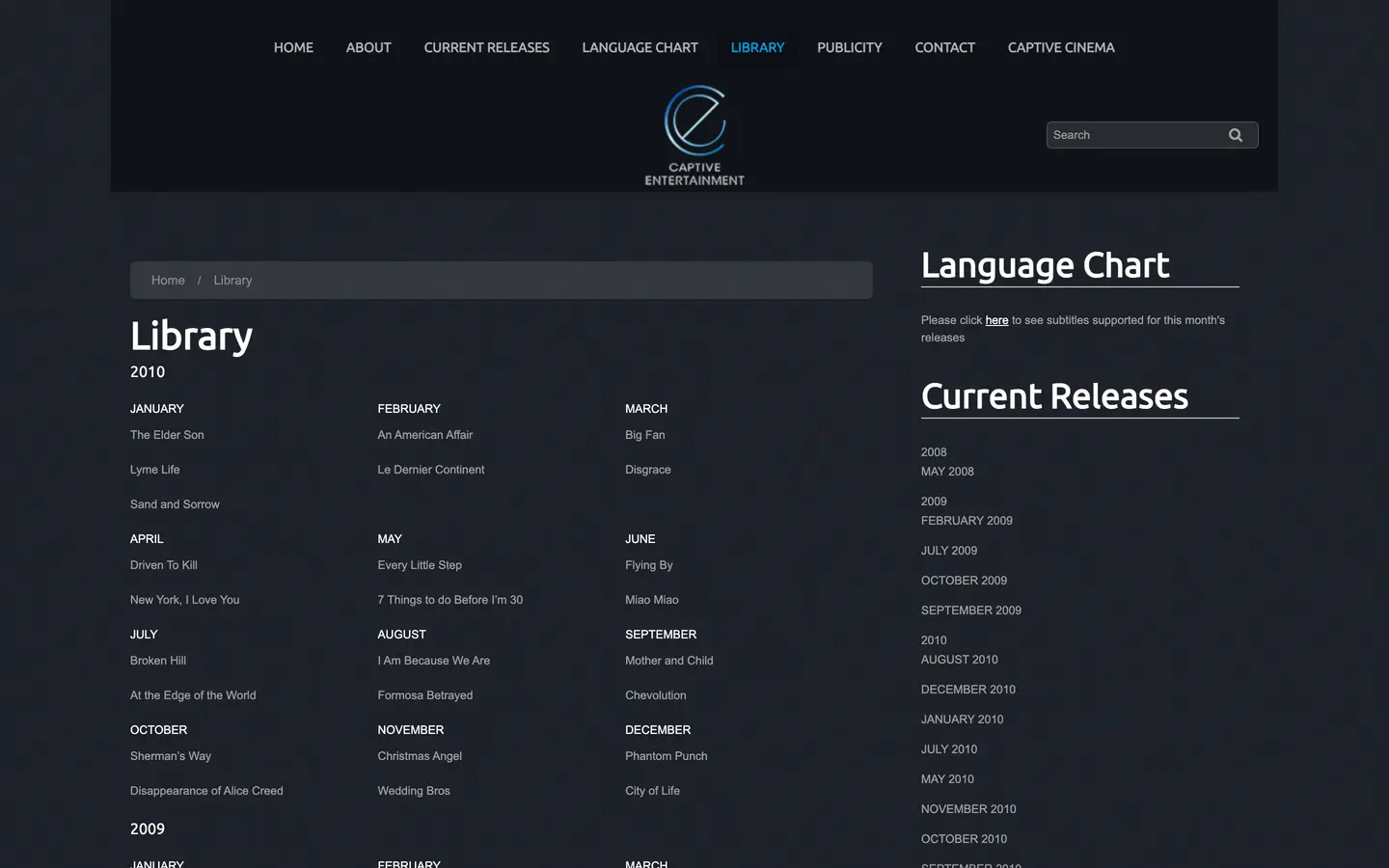 BEFORE · THE LIBRARY PAGE BEFORE · The old Library page, films listed by the month they became available
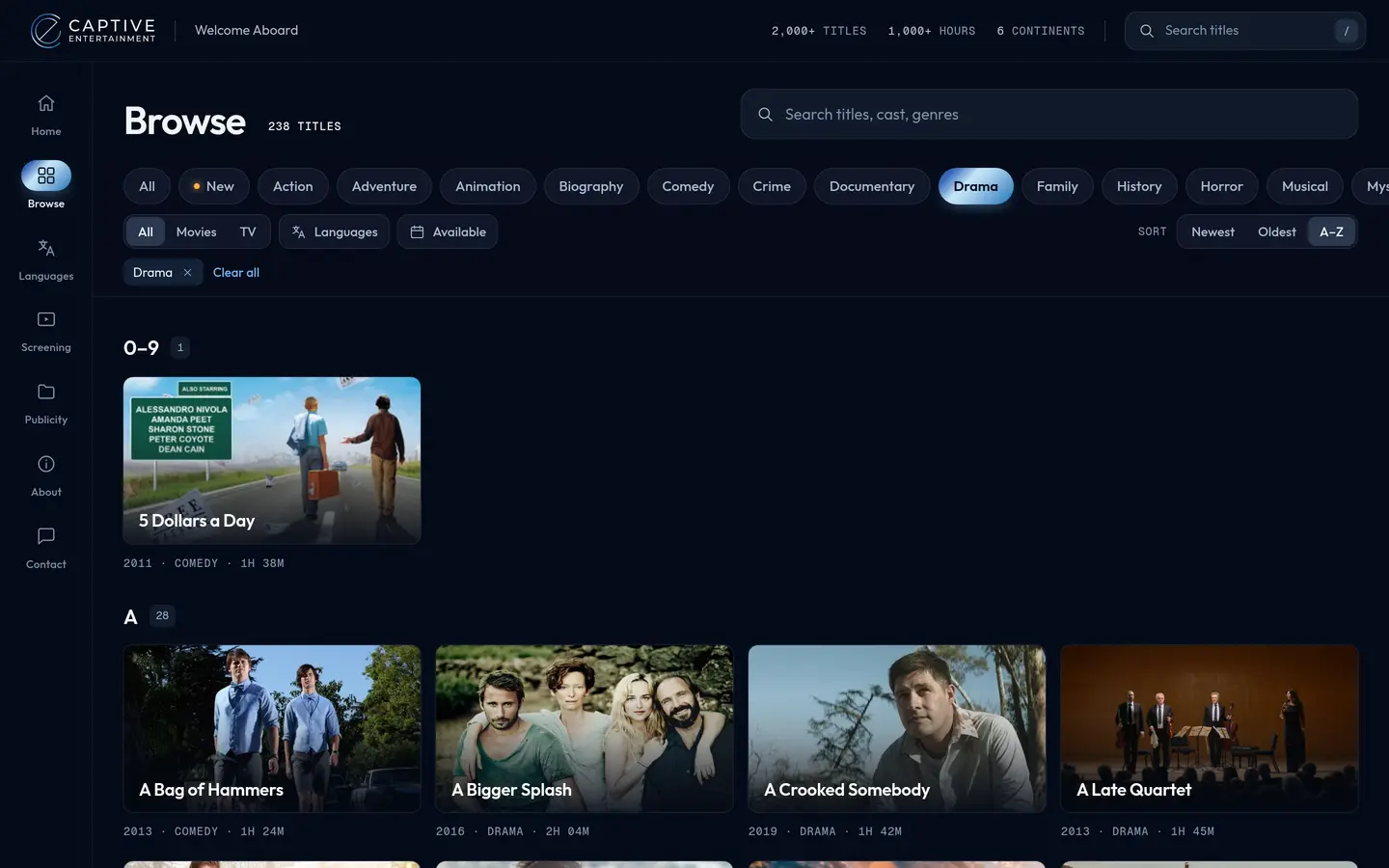 AFTER · BROWSE AFTER · The new Browse screen, filtered to drama and sorted A to Z
What we built
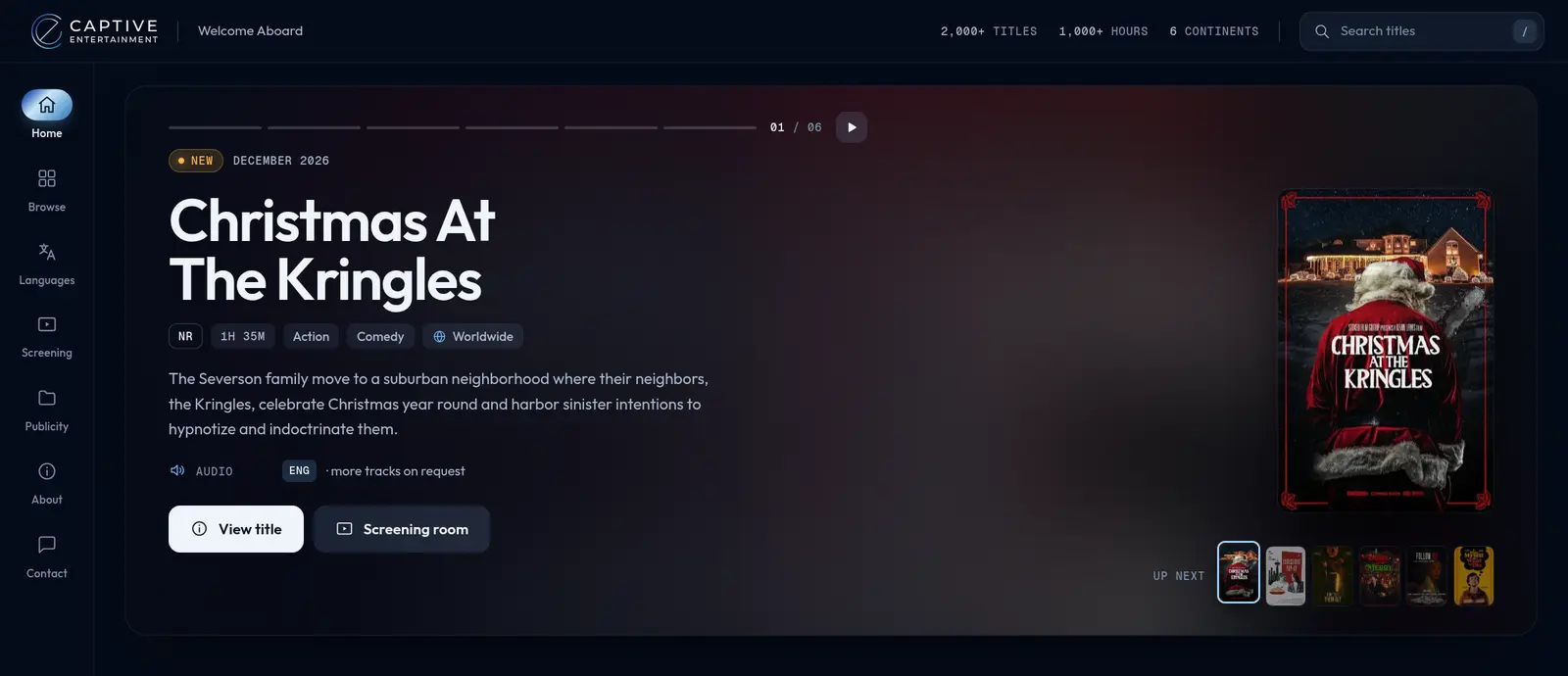
Captive licenses films to airlines, so we built the site to look and work like the seatback screen those films play on. An airline programmer browses the catalog the way their passengers will.
Before
Films were listed by the month they became available. Finding a genre meant paging through a category archive.
What we built
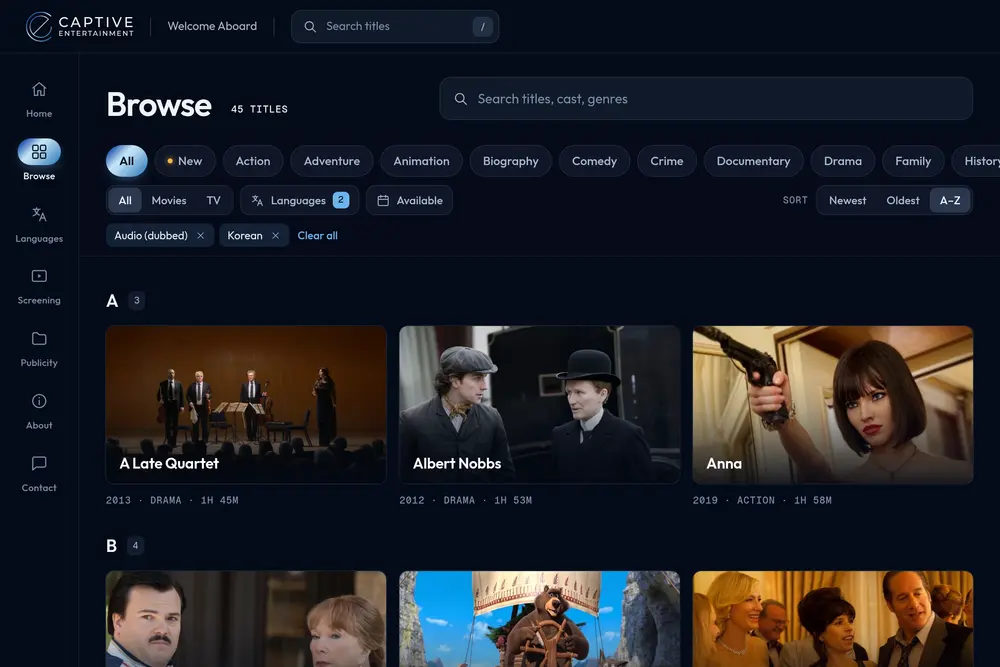
Buyers filter the whole catalog by genre, by language, by audio track or subtitles, and by the month a title becomes available, or search by title, cast or genre.
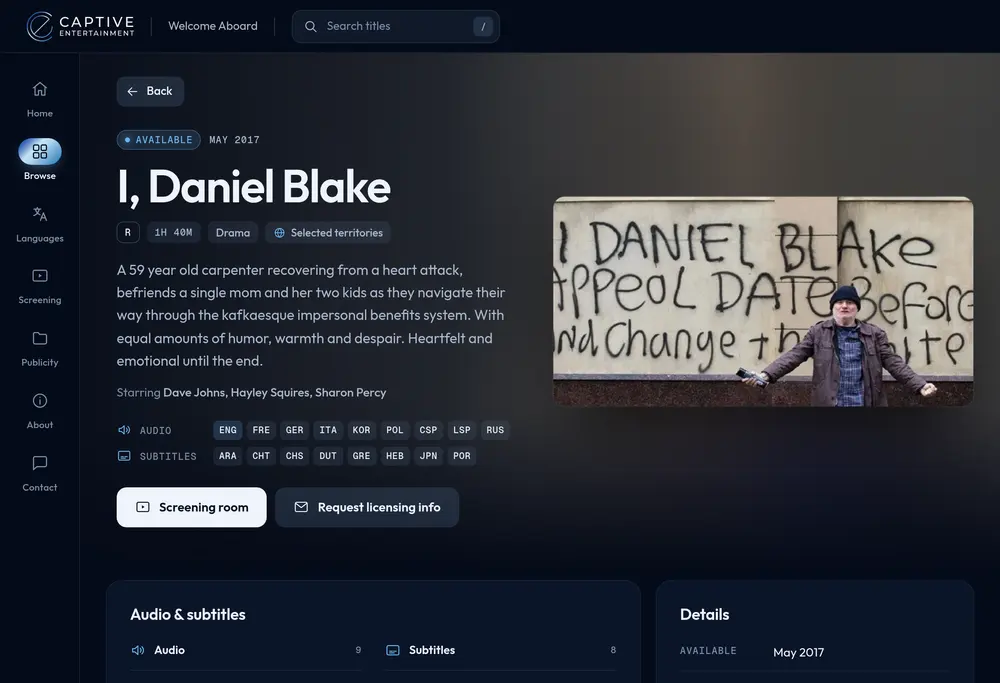
Before
Each film was a post with a synopsis and a list of category tags. Its languages were somewhere in the spreadsheet.
What we built
Every title has its own page with its rating, runtime, cast, synopsis and every audio and subtitle track. Buttons open the screening room or ask Captive about licensing the title.
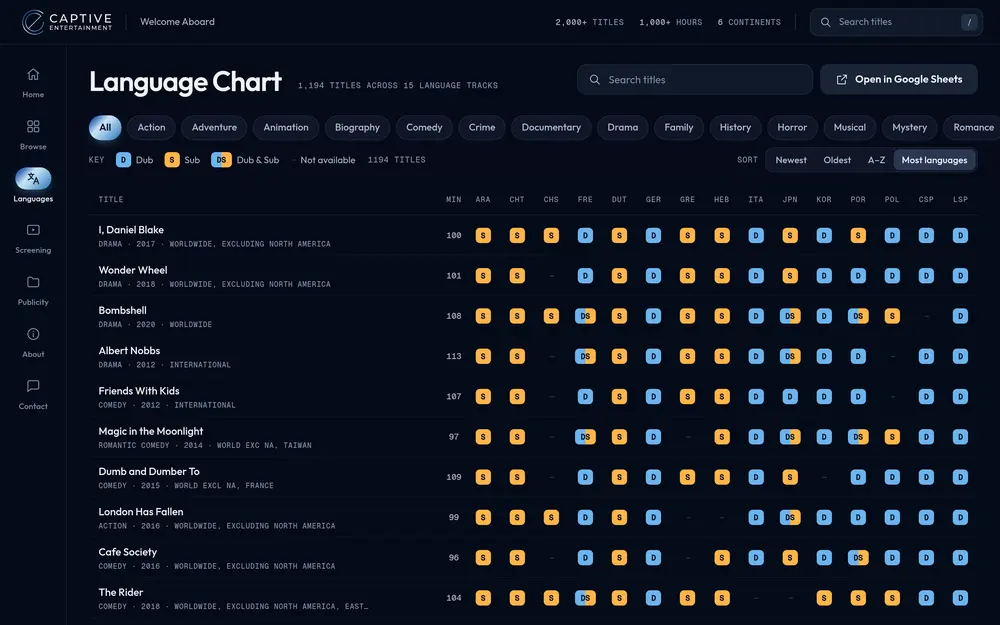
Before
The Language Chart page was a link to Captive's internal spreadsheet.
What we built
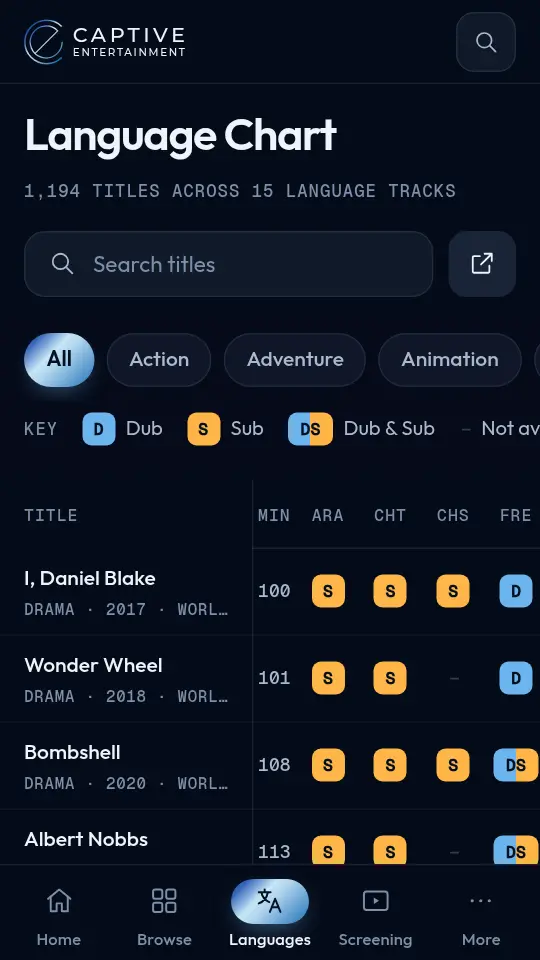
The chart is built from that same spreadsheet, with every title marked dub, subtitles or both for each language. Buyers can sort it by the titles with the most languages, filter it by genre, or open the original sheet.
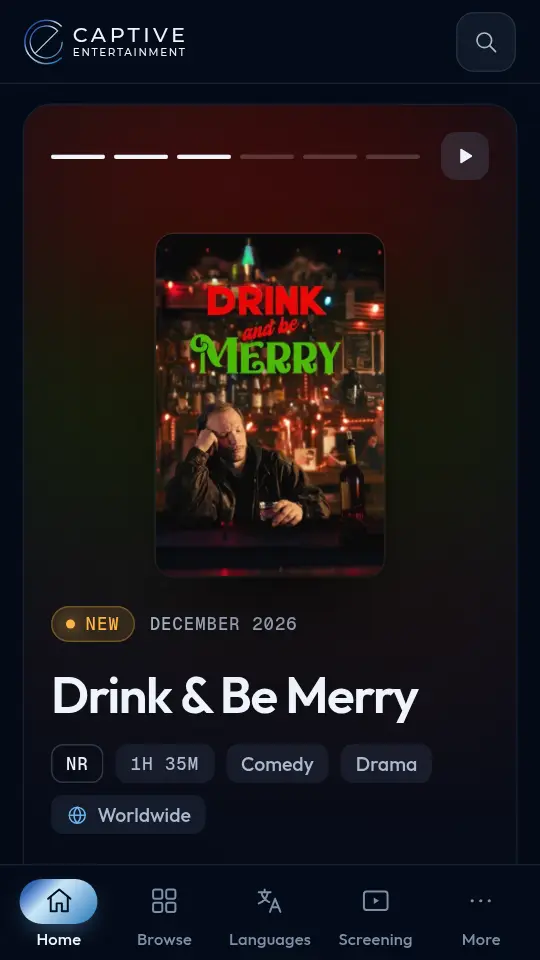
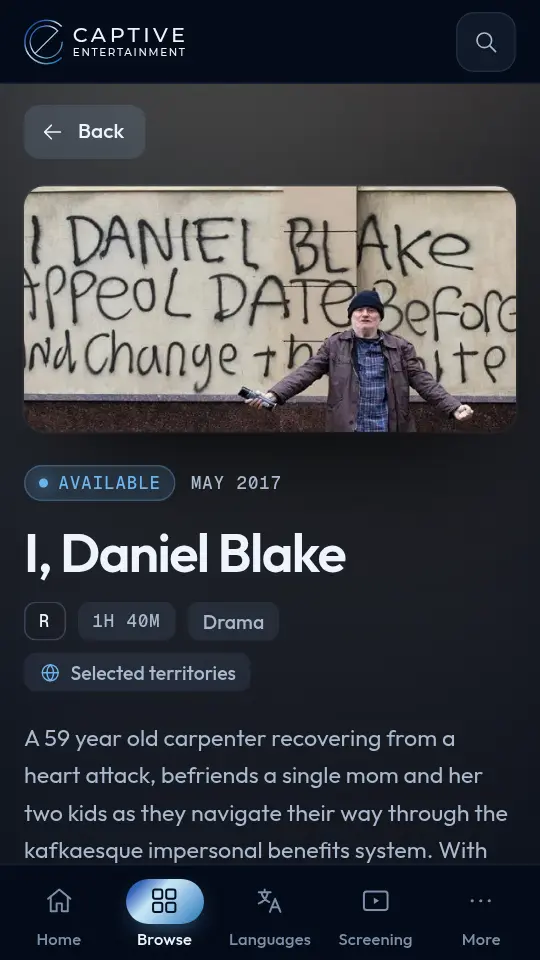
Before
On a phone, the menu shrank to a dropdown above the slider.
What we built
Phones get their own layout. The side rail becomes a tab bar along the bottom, and every screen, the Language Chart included, fits in one hand.
Before
Updates meant editing posts in the old site's admin.
What we built
Captive's team asks an AI site agent for changes in plain language or uses a simple editor for film details, and language updates come from their spreadsheet. Captive owns the code and can take it anywhere.
Lynton transformed our website in a way we couldn't have imagined.
We'd never have thought to make it look like a seatback screen, but that's where our films end up so it makes perfect sense. We're very pleased with the results. The team was easy to work with, and the whole project went smoothly from start to finish.
Moving without losing ground
Captive’s buyers and partners have years of links to the old site in emails, programming documents and search results. Changing websites is when links like those break.
Our standard is to keep every address that already works. We move a page only when the new address is better for buyers and for Google, and the old address forwards to the new one, so the ranking it earned goes with it. Each Captive film moved to a shorter address with the same name.
Old address
captive-entertainment.com/current-releases/poliwood/
New address
captive-entertainment.com/poliwood
Every film and page now has a forwarding address, and so do the old site’s tag, category and image pages.
The old site and the spreadsheet had also drifted apart. Where they disagreed about a film’s runtime, rating or rights, the import flagged it, and Paul Poste, Captive’s co-founder, settled all 122 before launch. His answers are applied every time the site is built, so a fix never has to be made twice.
The results
- SEP 25Building starts. The production site is built in one day, with every film, its language tracks and its forwarding address
- OCT 9Captive settles the last catalog questions and approves the final design. We build it that evening
- OCT 14Live
A small Lynton team built it, with AI doing the coding from written plans and a person reviewing each stage.
On a phone, the new homepage shows its main content in about 2.5 seconds. The old one took about 7. We measured both on the same day with Google’s Lighthouse test, three runs each.
Traffic isn’t the measure for a business like Captive’s. They sell to airline and cruise programmers they already know, and the result that matters most, more licensing from those buyers, will take time to show.
Questions we get
Q1 How long does it take to redesign a website with AI?
It depends on how much is settled before the build starts. Captive Entertainment, a film licensing company, went from the first line of code to a live site in 19 days. The production site, with 548 films and 1,194 title pages, was built in one day, and the final design went live five days after Captive approved it.
Q2 How should a film distributor present its catalog online?
Let buyers filter by what they shop for. On Captive Entertainment's site, every title has its own page listing its audio and subtitle tracks, and buyers can filter 548 films by genre, by release month and by any of 23 languages, as a dub, as subtitles or both.
Q3 Can a website be built from a Google Sheet?
Yes. Captive Entertainment keeps its Language Chart in a Google Sheet, and its website reads that sheet every time the site is built. The chart on the site covers 1,194 titles across 15 language tracks, and Captive's team keeps editing the same spreadsheet they always have.
Q4 Will moving off WordPress break my old links?
Not if every page that moves gets a forwarding address (a redirect). When Captive Entertainment moved 548 films off WordPress, each film kept its name in its web address, and 3,555 of the old site's addresses now forward to a working page, with any tracking tags on the link kept.
Q5 Can my team update the website without a developer?
Yes. Captive Entertainment's team asks an AI site agent for changes in plain language, or uses a simple editor for film details. Captive owns the code and can take it anywhere.
Q6 What makes a website AI-native?
AI is part of how it is built and run. Captive Entertainment's site was built by a small team with AI doing the coding from written plans and a person reviewing each stage, and Captive's team updates it by asking an AI site agent in plain language. Its final design was approved on a Friday and live the following Wednesday.
See how your website scores before you change anything.
Our free assessment grades your site on speed and on how well Google and AI assistants can read it. It takes about a minute.