
Show/Hide Content
Choose what content to show in a blog post.
Note: This is a built-in module, meaning you’ll need to open the Contents tab of the page editor sidebar to select it. This module is made specifically to alter content on this theme’s Blog Post template and does not render any visible content itself.
Content
-
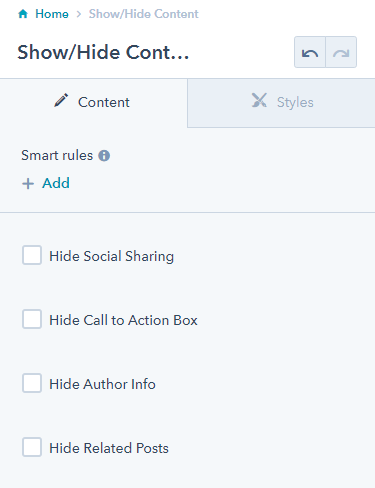
Show/hide social sharing, call to action, author, and/or related posts
How to Use This Module
The Show/Hide Content module gives you granular control over which elements appear on your blog posts without requiring any custom code or template modifications. This module is particularly valuable when you want to create different content experiences for different types of blog posts or when certain elements don’t align with your specific content strategy.
When working with this module, you’ll find it most effective for creating streamlined reading experiences. For example, you might hide social sharing buttons on internal company announcements while keeping them visible on thought leadership articles meant for broader distribution. Similarly, you can remove related posts from standalone pages or hide author information on posts written by multiple contributors.
To configure the module, navigate to the Contents tab in your page editor sidebar and locate the Show/Hide Content module. The settings will only affect the current blog post you’re editing, giving you post-by-post flexibility. This approach is especially useful for SaaS and technology companies that publish diverse content types—from technical documentation to marketing announcements—all within the same blog.
Best practices include reviewing your content strategy before making changes. Consider whether hiding the call-to-action aligns with your conversion goals, or if removing related posts might reduce time spent on your site. The Framework theme’s clean design philosophy means that removing elements creates more white space and draws focus to your remaining content, so use this module strategically to guide reader attention where it matters most.
Since this module doesn’t render visible content itself, always preview your changes to ensure the layout maintains visual balance after hiding selected elements.